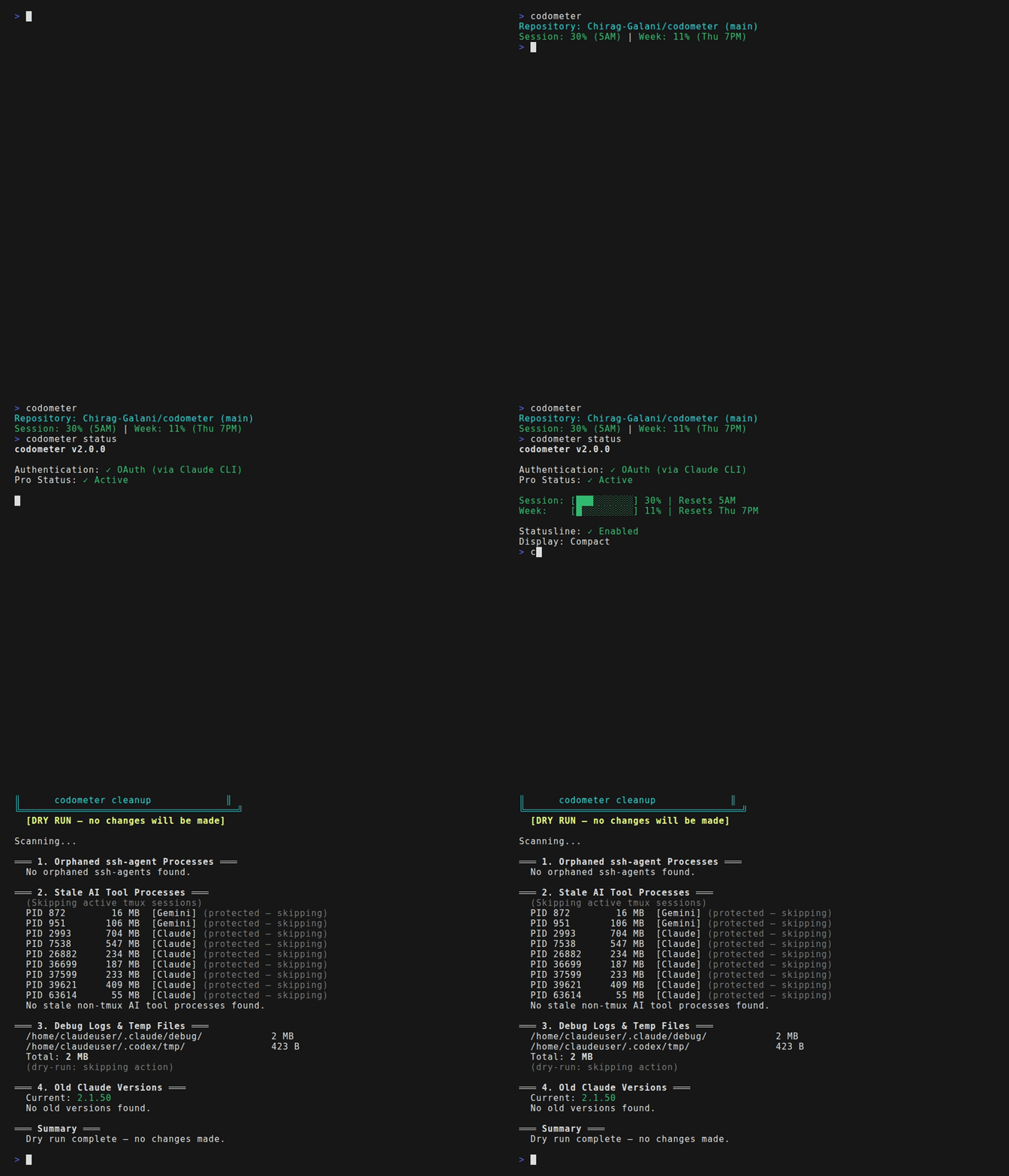
git clone https://github.com/Chirag-Galani/codometer.git && cd codometer && ./install.shClaude Pro has a fuel tank — a 5-hour session window and a 7-day weekly window. Drive too hard and you'll hit empty with no warning. codometer puts a gauge on your dashboard: green means cruise, yellow means ease off, red means you're about to stall. It reads Claude Code's own odometer, so there's nothing to configure — just install and check your gauges.
Session and weekly usage with a color-coded needle — green means go, yellow means caution, red means you're redlining
Usage %, cost, lines changed, context window, GitHub PR status — your full dashboard in one line
Orphaned processes, debug logs, old CLI versions — pull in, clean up, get back on the road
Piggybacks on Claude Code's ignition — no tokens to paste, no config files. Install and go.
Commands
| codometer | Check your gauges |
| codometer status | Full instrument panel |
| codometer clean | Pit stop — clear the junk |
| codometer config | Tune your dashboard |
Statusline — your instrument cluster
~/project (main) | S:27% (8AM) | $22.52 | +3252/-391 | 2h25m | C:55% | !3 | ⬆2.1.0| S:27% | Fuel gauge — session window (5h) |
| $22.52 | Trip cost |
| +3252/-391 | Miles driven — lines added / removed |
| 2h25m | Time on the road |
| C:55% | Engine temp — context window |
| !3 | Check engine light — issues to fix |
| ⬆️2.1.0 | Newer model available |
Nikunj Kothari called it “token anxiety” — that nagging feeling your engine's running but you can't see the fuel gauge. You floor it until you stall. codometer puts the needle where you can see it.